Quick Calc Marketplaces
Know your true profit before you list.
You sold it for £40 — but how much did you actually keep? Between platform fees, payment processing, regulatory charges, ad levies and VAT, your real profit is rarely what it looks like. QuickCalc models every cost, then shows you the number that matters.
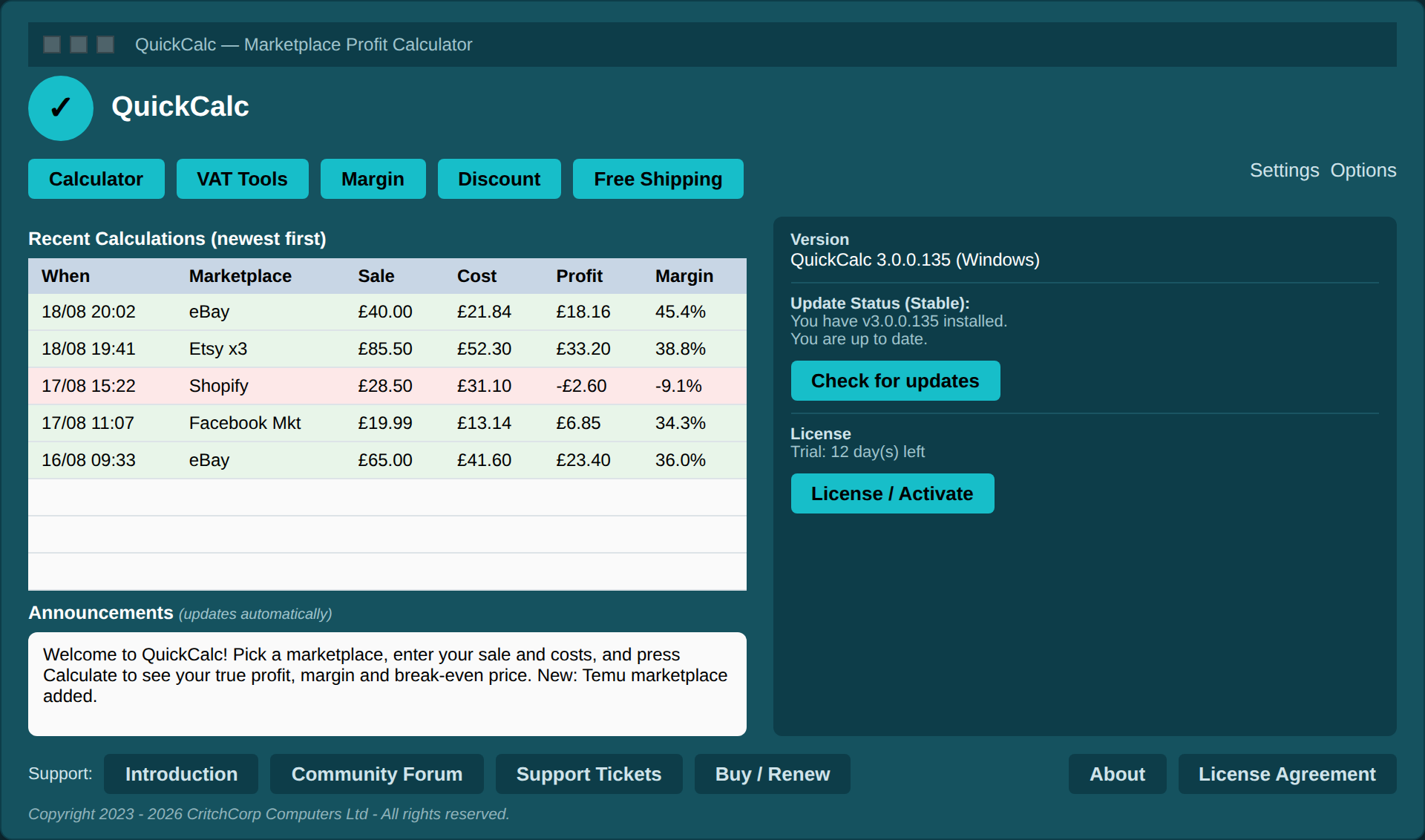
✔ One self-contained file. ✔ Installs in seconds. ✔ Free 30-day trial. ✔ No account to create for trial. ✔ No reoccuring fees
The gap between “sold for £X” and “kept £Y” is where sellers win or lose
If you estimate fees, you’re pricing blind. One fee change — a regulatory charge you didn’t see, an enforced ad rate on every sale — can quietly turn a “profitable” listing into a loss.
Built for how marketplaces actually charge
Most sellers know their platform takes “a fee”. Fewer can say exactly how much, once every charge is applied. QuickCalc keeps the logic in one place.
Fees most sellers can’t easily track — modelled in one place
How it Works
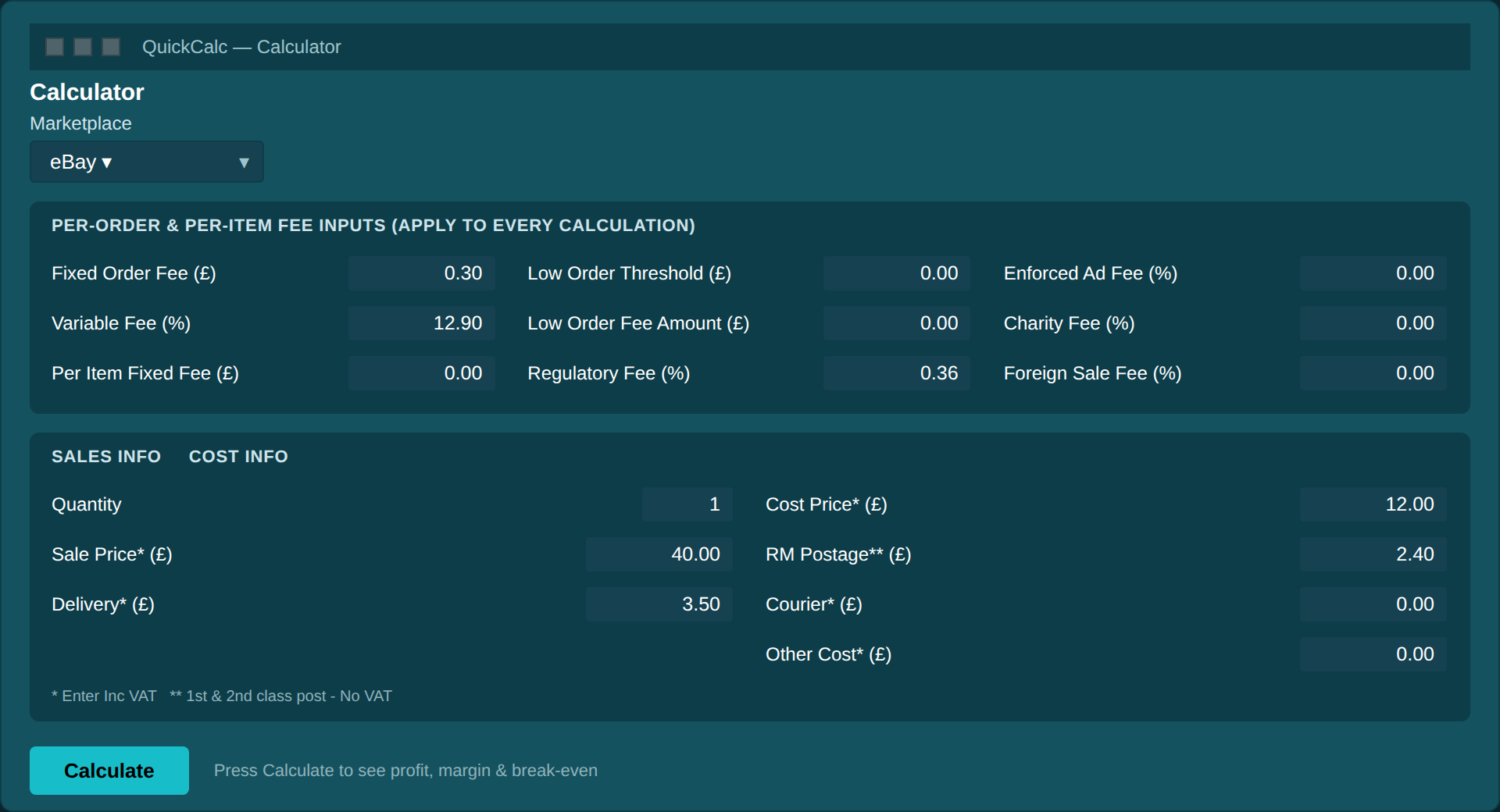
Pick a marketplace, enter the sale
Choose from eBay, Etsy, Shopify, Facebook Marketplace and more. QuickCalc loads that marketplace’s default fee values, so you start from a realistic baseline — not a blank form.
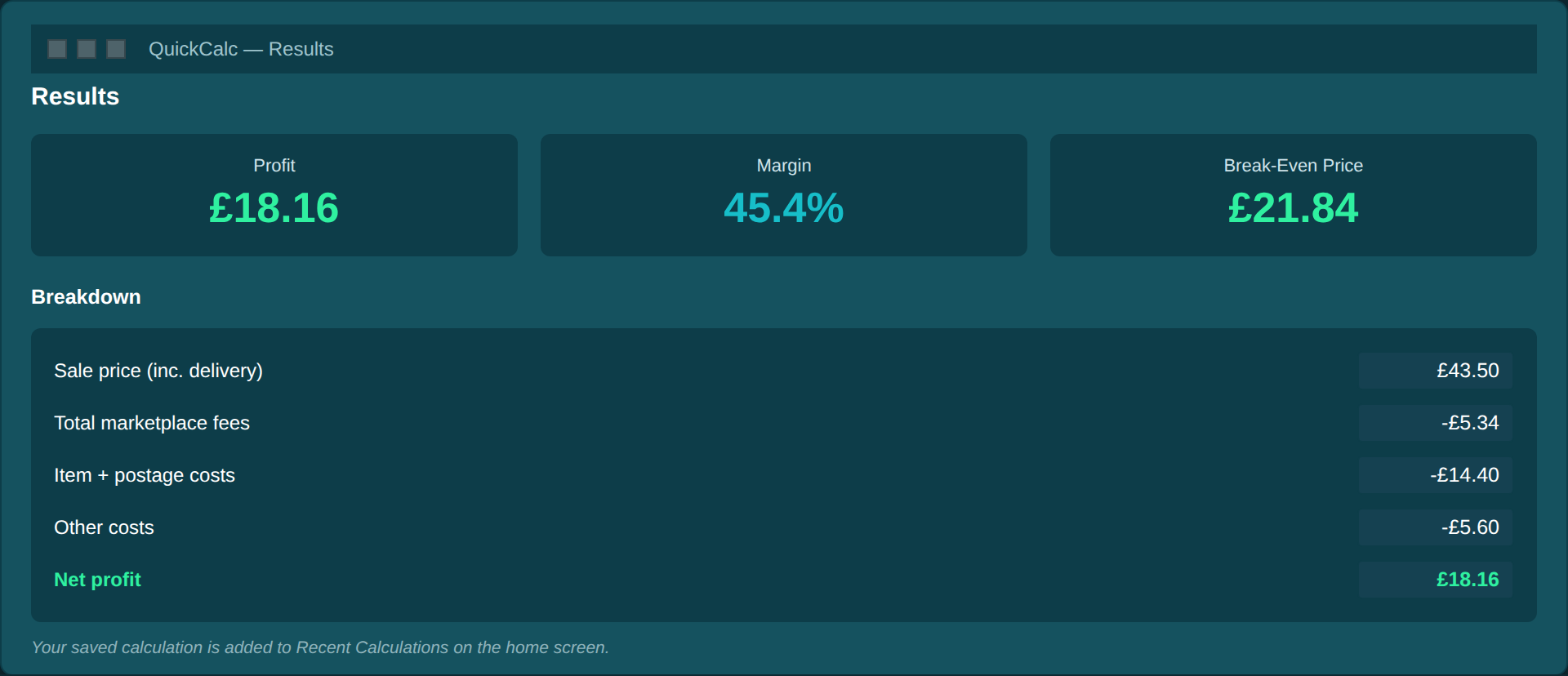
See profit, margin and break-even in seconds
Press Calculate and QuickCalc rolls every cost into the numbers that decide whether to list: your net sale, total costs, profit, margin, and the exact price at which the item stops losing money.
More than one calculator
QuickCalc isn’t a single screen. Alongside the main calculator, focused mini-tools answer the what-if questions sellers face every day.
VAT Tools
Add or remove VAT on any figure — for invoices and gross-price checks.
Margin Calculator
Work from a cost and desired markup to a sale price and margin.
Discount Calculator
See instantly what 5%, 10% or 20% off does to a price.
Free Shipping
Decide whether free postage still leaves a profit.
Why a spreadsheet isn’t the answer
Fee logic location
VAT on fees
Break-even price
Updates & help
Recovery
QuickCalc
One place, per marketplace
Handled correctly
Computed automatically
Update Nofitifcation, live help
Easy recovery. Built-in tools
Manual spreadsheet / guessing
Rebuilt for every listing
Easy to miss
Manual arithmetic
Static, often out of date
—
Before you download
Why do I need a profit calculator if I can work it out myself?
We used to work it out ourselves, until the profuit at the end of the month didn't reflect what ti should. Then we looked closer at each sale and found we were making a loss on over 50% of all sales. That's the moment we realised our manual figures were very very wrong.Which marketplaces are supported?
Currnetly we support eBay, Vinted, Etsy, Amazon, OnBuy, Facebook Marketplace, TikTok Shop, Temu, WooCommerce and Shopify (Yes, the lsat two are not marketplaces, we know). Also we can add more in if they follow one of our supported fee structures. If they have another new fee we will look at adding them as well, let us know.Does it handle VAT properly?
Yes. We know that VAT is a critical point. We have 3 seller types, Home (second hand selling - No VAT), Business (Not VAT Registered) This means the marketplace will usually add VAT and keep it. Business (VAT registered) - You charge and retain the VAT. Also, most marketplaces charge VAT on their fees, but not all. You can tick a box to change it.Is it really free to try?
Yes. The Free Trial is exactly that, free. You can use all parts of the software with no restrictions for 30 days, then when you see how much it is going to help you, we ask you to purchase a one-time fee license. It helps keep the software going. You get communit support and all the updates for the life of the product and discount on any upgrades to later versions.What platforms does it run on?
Currnetly, at release we have the Windows 10/11 version and the Linux version. We also have a MacOS ARM64 version following quickly on it's heals and the Intel Mac Version not far behind that.Run a real sale through QuickCalc and compare.
For most sellers, the moment the calculator shows a different profit figure than they expected is the moment it pays for itself. Download the free trial and see your true numbers today.
QuickCalc is the marketplace profit calculator from CritchCorp Computers Ltd. Copyright 2023 – 2026. QuickCalc is a trademark of CritchCorp Computers Ltd.
QuickCalc is a desktop profit calculator for estimating purposes. Fee and profit figures are estimates based on the values you enter and the rates available at the time; marketplaces change their fees, and actual results vary. Always confirm final charges with your marketplace. “Free trial” refers to the 30-day fully functional evaluation period; continued use after the trial requires a licence.